How to Start Your Own IPTV Service in 24 Hours: 5-Step Setup Guide
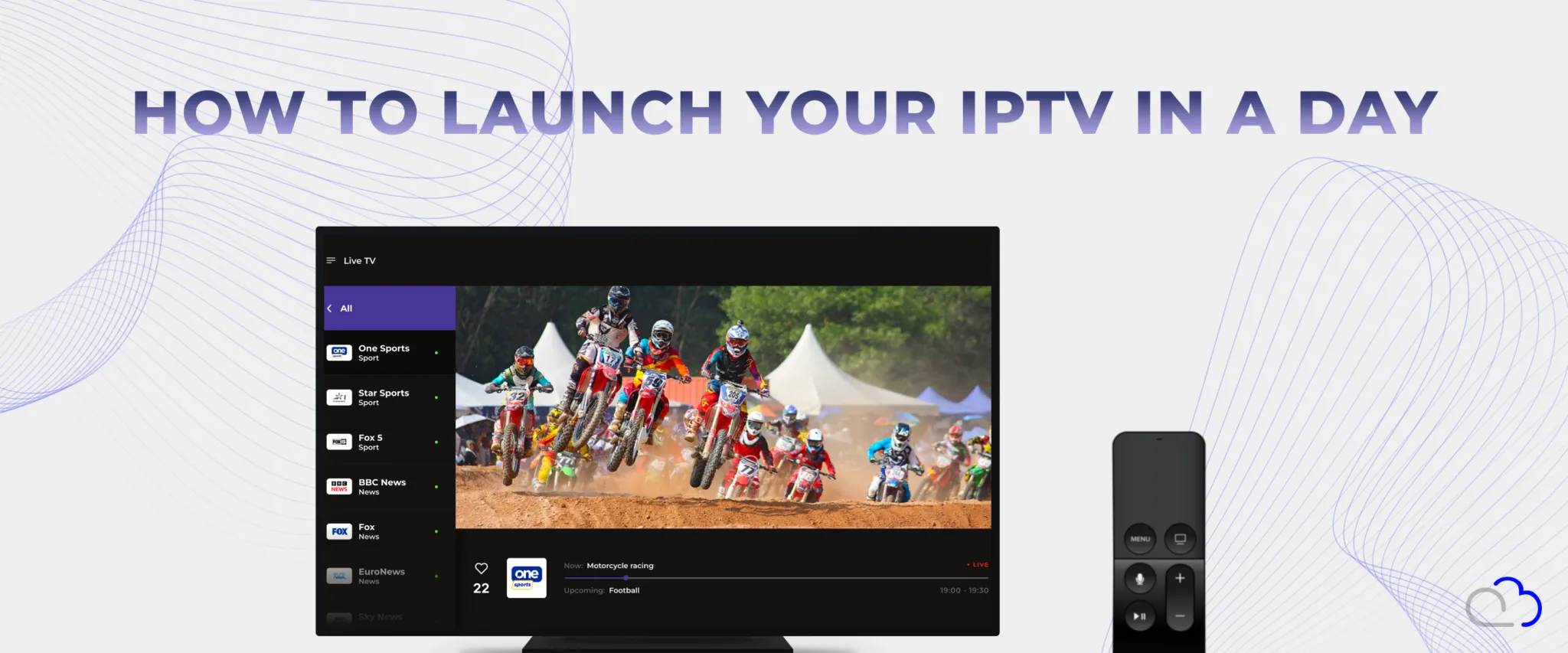
By Alex Topilski, Founder, FastoCloud
Most IPTV startups spend 3–6 months in setup before onboarding their first subscriber. With FastoCloud, that timeline compresses to 24 hours — because the middleware platform handles every layer out of the box: streaming infrastructure, subscriber billing, security, and white-label apps across iOS, Android, Smart TV, and web. Plans start at $25/month. This guide walks through all 5 steps from server provisioning to your first paying subscriber, with exact configuration values at each stage.
Before you begin, have these ready:
- A Linux server running Ubuntu 20.04+/22.04 LTS or Debian 11/12
- A domain name with the DNS A record pointed at the server
- Video content (live channels, VOD files, or both)
- An EPG feed in XMLTV format
- A logo and service name
Server Provisioning
For a live deployment serving up to 500 concurrent viewers without transcoding, a 4-core CPU with 8 GB RAM and a 100 Mbps dedicated uplink is sufficient. Add server-side transcoding and you need at least 8 physical cores and 16 GB RAM. Open ports 80/443 (HTTP/HTTPS), 1935 (RTMP ingest), 8000-8100 (HLS/DASH segment delivery), and 5544 (SRT ingest) in your firewall before running the installer.
Point your domain's A record to the server IP before starting setup. FastoCloud provisions a Let's Encrypt TLS certificate automatically once DNS resolves correctly. A valid certificate is required: iOS and Android enforce HTTPS-only media loading and will fail silently on HTTP-only deployments.
Step 1: Choose Monetization Strategy and Subscriber Billing Setup
FastoCloud supports 3 billing models out of the box: subscription (SVOD), ad-supported (AVOD), and pay-per-view (TVOD). Most operators start with SVOD. See current plan pricing to match a tier to your expected subscriber volume.
Stripe: Create one Product per subscription tier and at least 2 Prices per
Product (monthly and annual). Configure a webhook at
https://yourdomain.com/api/v1/payment/stripe/webhook and subscribe to
payment_intent.succeeded, invoice.payment_failed, and
customer.subscription.deleted. Paste the signing secret into Settings
> Payment > Stripe.
PayPal: Enable Subscriptions API v2, create a Billing Plan per tier, and
set the IPN URL to https://yourdomain.com/api/v1/payment/paypal/ipn
so subscription lifecycle events propagate to FastoCloud in real time.
A standard 3-tier concurrent stream structure works for most operators: Basic (1 stream), Standard (2 streams), Premium (4 streams). Offer a 7-day free trial with optional credit card pre-authorization to reduce abuse. For AVOD or hybrid AVOD/SVOD, configure a VAST/VMAP ad tag URL in player settings. FastoCloud supports server-side ad insertion (SSAI), splicing ad segments into HLS manifests before delivery and bypassing client-side ad blockers.
Step 2: User Onboarding and Security
FastoCloud provides 3 authentication methods, each suited to different device types:
Login/Password: Passwords are stored as bcrypt hashes. Enforce a minimum policy (8 characters, 1 uppercase, 1 digit). Enable TOTP-based 2FA compatible with Google Authenticator and Authy. Progressive lockout fires after 5 failed attempts within 10 minutes, locking the account for 30 minutes. Thresholds are configurable under Security > Rate Limiting.
QR-Code activation: Best for Smart TV and set-top box onboarding where typing a password via remote control is impractical. The TV app displays a time-limited QR token (15-minute default). The subscriber scans with a phone, completes authentication in a mobile browser, and the TV receives an activation signal via server-sent events. Tokens are single-use.
Unique activation codes: Useful for B2B reseller channels or hardware bundles. Generate batches in the admin panel; each code activates one account and is invalidated on first use. Codes can be scoped to a specific plan and expiry date, making them suitable for promotional campaigns.
Set a device limit per plan (for example, 2 devices on Basic and 5 on Premium). For geo-restriction, configure allowed country codes under Settings > Geo Policy, backed by MaxMind GeoIP2 for VPN detection. For licensed content, FastoCloud supports Widevine (Android, Chrome, Android TV) and PlayReady (Windows, Xbox) via a CPIX-compatible key server.
Step 3: Interface and App Design
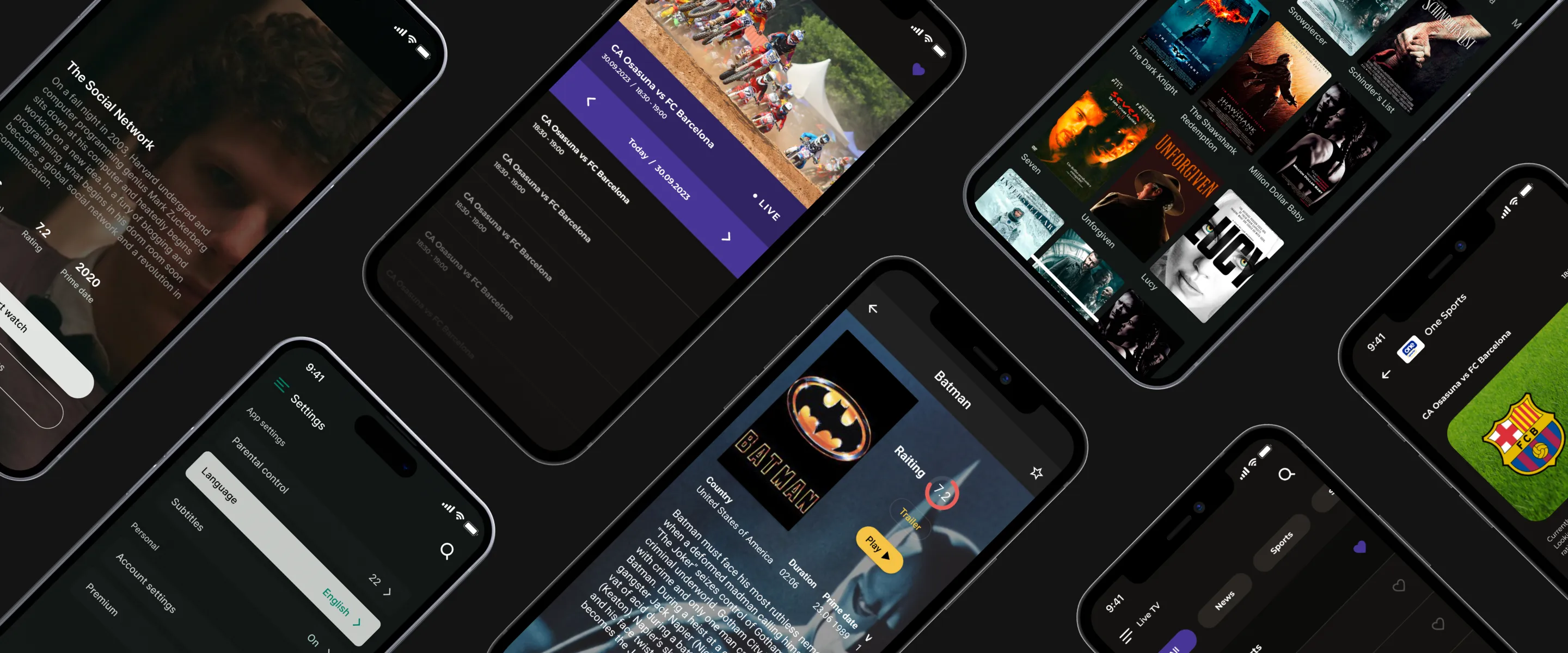
FastoCloud includes 5 pre-built player layouts: a channel-list view (classic IPTV feel), a grid/poster view (VOD catalogs), a 7-day EPG guide view (linear TV operators), a featured carousel (mixed IPTV/OTT), and a minimal full-screen mode (single-channel kiosk). Every layout is available on all supported platforms with consistent feature parity.
White-label branding: Upload your logo in SVG or PNG format (minimum 256x256 px). Set 2 hex color values; FastoCloud generates the full color palette for buttons, focus states, and progress bars automatically. The splash screen, app icon, and store screenshots are built from these assets with no designer required for standard deployments.
App store costs: Apple Developer Program ($99/year) for iOS and tvOS. Google Play Console ($25 one-time fee) for Android and Android TV. FastoCloud's build system produces signed .ipa and AAB bundles ready for store submission. Smart TV apps (Samsung Tizen, LG webOS, Roku) pull all configuration from a remote endpoint, so channel lineup, pricing, and UI changes deploy without app store resubmission. Download platform clients from the downloads page.
Step 4: Upload Content and Configure Streaming Protocols
FastoCloud accepts RTMP and SRT as ingest protocols and delivers via HLS and
MPEG-DASH. For live streams, push to
rtmp://yourdomain.com/live/<stream_key> from OBS, FFmpeg, or
any hardware encoder. Use SRT over RTMP for contribution links crossing public
internet: SRT handles 1-5% packet loss without buffering artifacts where RTMP
would drop the stream.
Recommended 4-rung ABR encoding ladder for live streams:
- 1080p - 4,000-6,000 kbps H.264, AAC-LC 192 kbps
- 720p - 2,000-3,000 kbps H.264, AAC-LC 128 kbps
- 480p - 800-1,200 kbps H.264, AAC-LC 96 kbps
- 360p - 400-600 kbps H.264, AAC-LC 64 kbps (mobile fallback)
For low-latency HLS (LL-HLS), FastoCloud supports partial segments and blocking playlist reload, targeting sub-3-second end-to-end latency. For VOD, upload source files via the admin panel or S3-compatible import API. Transcoding runs to the same ABR ladder automatically; thumbnails generate at 1 per 60 seconds of content by default.
FastoCloud acts as the HLS/DASH origin server. Configure your CDN (Cloudflare, AWS CloudFront, Akamai) to cache .m4s segments with a 24-hour TTL and .m3u8 playlists at 2-4 seconds TTL matching the segment duration. Group channels and VOD titles into content packages (Sports, Entertainment, Kids) and assign each package to one or more subscription plans. Access is enforced at the manifest level, so a subscriber without a package receives a 403 on that channel's M3U8 and cannot bypass it client-side.
Step 5: Pre-Launch Validation and Start Selling
Before opening to the public, run through this checklist to prevent subscriber-facing failures on day one:
- Play each channel on Android, iOS, Apple TV, and Samsung Smart TV. Confirm ABR switching by throttling the network in developer tools.
- Complete a full payment flow end-to-end: register a new account, subscribe with a Stripe test card, verify access is granted, cancel, verify access is revoked.
- Verify EPG program times match the broadcast schedule. Check timezone offsets in the XMLTV feed; misconfigured offsets are the most common EPG bug.
- Test QR-code onboarding on a physical Smart TV. Camera scanning does not reproduce accurately in emulators.
- Confirm TLS certificate auto-renewal is active. Let's Encrypt certificates expire every 90 days and the renewal cron must be running.
After launch, the admin dashboard shows active stream count per channel, bitrate health, error rates, and CDN cache hit ratio in real time. Set alert rules for stream drop events and high error rates; FastoCloud supports email and webhook notifications (Slack, PagerDuty). The analytics panel tracks DAU, MAU, churn rate, ARPU, and subscription conversion rate. The cohort view identifies whether churn is content-related (affects all cohorts equally) or onboarding-related (affects newer cohorts more).
Your IPTV service is ready. Begin selling subscriptions and growing your subscriber base. FastoCloud plans start at $25/month and scale as your audience grows. Start your free trial or view all pricing plans.
Blog FastoCloud