By Alex Topilski, Founder
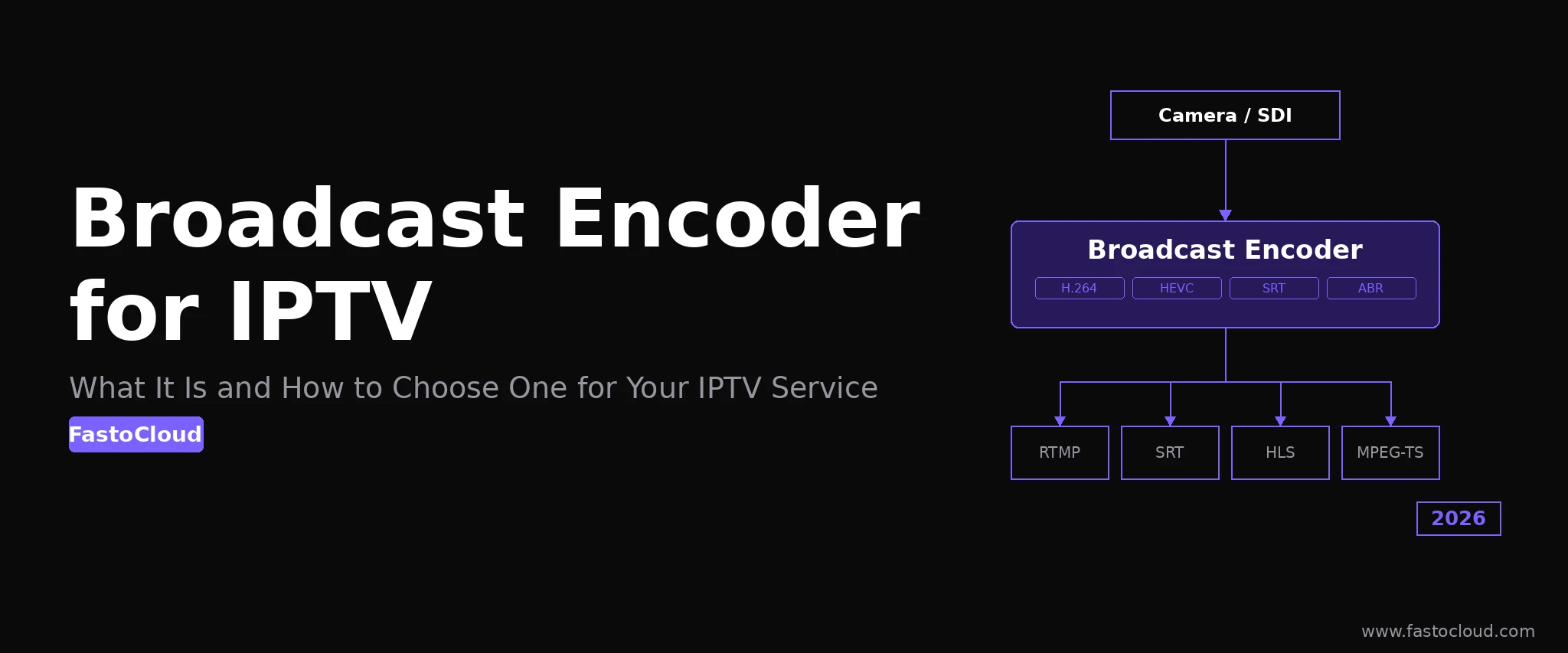
A 100-channel IPTV headend running live news, sports, and local channels processes roughly 500 Mbps of compressed video around the clock. Every megabit of that signal starts at an encoder - the device that transforms a camera output or satellite feed into a network-transmissible stream. Choosing the wrong encoder at this first link introduces artifacts, latency spikes, or outages that no amount of downstream infrastructure can fix. This guide explains what broadcast streaming encoders are, how they differ from consumer gear, and exactly what to evaluate when selecting one for an IPTV or OTT deployment.
What Is a Broadcast Streaming Encoder?
A broadcast streaming encoder is a hardware device or enterprise-grade software application that compresses live video from professional sources - SDI or HDMI cameras, satellite receivers, or capture cards - into a codec format suitable for network transmission. The encoder's job is to take raw, uncompressed video (which at 1080p/30fps would require approximately 1.5 Gbps of bandwidth) and reduce it to a manageable ingest bitrate, typically 6-15 Mbps for a high-quality 1080p broadcast stream. That compressed stream is then forwarded to a media server over RTMP or SRT for ABR transcoding, packaging, and delivery to subscribers.
The word "broadcast" distinguishes professional-grade equipment from consumer streaming boxes and prosumer software. Broadcast encoders are built for 24/7 unattended headend operation. They include redundant power supplies, dual network interfaces for failover, hardware watchdog timers, remote management APIs, and support for professional signal formats including SDI (up to 12G-SDI for 4K) and XLR balanced audio. Consumer encoders like basic RTMP streaming boxes or PC-based OBS setups lack these features and are not designed for continuous production operation.
How Broadcast Encoders Differ from Consumer and Software Encoders
Understanding the gap between encoder tiers prevents mismatched purchases that fail under production conditions. The three categories behave very differently across the specifications that matter most for IPTV.
| Feature | Broadcast Hardware Encoder | Prosumer Hardware Encoder | Software Encoder (OBS / FFmpeg) |
|---|---|---|---|
| Input interfaces | SDI (3G/6G/12G), HDMI, XLR audio, genlock | HDMI, sometimes SDI | HDMI via capture card, screen, file |
| 24/7 reliability | MTBF 50,000+ hours, watchdog, redundant PSU | Consumer components, no redundancy | Depends on host OS and workload |
| Output protocols | RTMP, SRT with FEC/ARQ, MPEG-TS, RTP/UDP | RTMP, basic SRT | RTMP, SRT, HLS (config-dependent) |
| Simultaneous outputs | 2-4 independent streams, often with backup | 1-2 streams | Multiple (GPU-limited) |
| Remote management | REST API, SNMP, web UI | Web UI only | Script/CLI-based |
| Typical cost | $1,500-$8,000 per unit | $300-$1,500 | $0 (software) + GPU server cost |
For an IPTV headend ingesting live channels that carry paying subscribers, broadcast-grade hardware is the right starting point. Prosumer devices are adequate for low-stakes use cases such as event encoders that operate occasionally, not around the clock. Software encoders shine for automated ingest pipelines - processing IP camera feeds, archive re-encoding, or pulling RTSP streams from distant locations where a server-side FFmpeg process is more practical than shipping hardware.
Key Specifications to Evaluate When Choosing an Encoder for IPTV
When evaluating encoders for an IPTV deployment, operators should check seven specification categories. Shortcutting any of them creates integration problems that are expensive to fix after purchase.
- Input format support - Confirm that the encoder accepts your signal type. HD-SDI (3G-SDI, 1080i/1080p) covers most broadcast camera and satellite receiver outputs. If you are processing 4K UHD sources, verify 12G-SDI or quad-link 3G-SDI support. For HDMI sources, confirm the HDMI version (1.4 for 1080p, 2.0 for 4K at 60fps).
- Codec and profile support - At minimum, H.264 High Profile output is required. H.265/HEVC Main Profile support reduces your contribution bitrate by 40-50% at equivalent quality, which matters for satellite uplinks or remote contribution over constrained bandwidth. Verify that the encoder's H.265 output profile is compatible with your media server's ingest pipeline.
- Output protocols - RTMP is non-negotiable for broad media server compatibility. SRT (Secure Reliable Transport) is the modern choice for any contribution over public internet - it applies forward error correction (FEC) and retransmission (ARQ) to handle packet loss without visible artifacts. If you are feeding a cable or satellite headend, verify MPEG-2 Transport Stream over UDP or RTP output.
- Ingest bitrate range - A broadcast encoder should support variable bitrate (VBR) and constant bitrate (CBR) modes. For IPTV ingest, set CBR at 8-15 Mbps for 1080p/30fps H.264 to give your media server a predictable input for ABR transcoding. H.265 at the same quality runs 4-8 Mbps.
- Latency mode - Standard encoding latency is 2-8 seconds and is fine for pre-recorded and live broadcast content. For interactive live events or low-latency sports where viewers engage in real time, look for encoders with sub-2-second latency modes, often called "ultralow" or "zero-delay" encoding. This affects codec settings, not just the protocol, so confirm the encoder supports it at your target codec and resolution.
- Redundancy features - Dual network output (primary + backup) allows simultaneous push to a primary and a backup media server. Dual power supply prevents single-PSU failure from dropping a channel. These features are standard in true broadcast encoders and absent in prosumer units.
- Remote management API - For a headend with 20+ encoders, manual web-UI management per device is not scalable. Confirm the encoder exposes a REST API or SNMP interface so you can integrate encoder monitoring and control into your network operations center tooling.
Hardware Encoders vs Software Encoders: The Right Choice for Your IPTV Scale
The choice between dedicated hardware and software encoding is not binary - most IPTV operators use both in the same headend for different channel types.
Dedicated hardware encoders are the right tool for live production channels with studio cameras, satellite feeds, or OB (outside broadcast) trucks feeding into the headend. A rack-mount encoder such as a Haivision KB or Ateme TITAN Live accepts SDI from a camera router, encodes it at a deterministic bitrate, and pushes a clean SRT stream to the media server regardless of what else is happening in the facility network. There is no OS to update, no shared CPU that another process can starve, and no crash recovery needed. At 24/7 operation across a full broadcast year (8,760 hours), hardware reliability matters more than flexibility.
Software encoders running on a Linux server with Nvidia GPU acceleration are the right tool for IP-sourced channels: RTSP streams from IP cameras, HTTP-delivered satellite decoder outputs, or HLS restreaming jobs that pull from a remote source and re-ingest into your platform. FFmpeg with libx264 or NVENC encoding handles hundreds of such streams on a single server at a fraction of the per-channel cost of hardware encoders. The trade-off is that a GPU server outage stops all channels it was processing simultaneously, while hardware encoder failures affect only one channel each.
A practical IPTV headend architecture combines both: hardware encoders for your 10-20 premium live channels, server-side FFmpeg for the remaining 50-100 channels sourced from IP feeds, and a media server layer that receives all of them and produces the ABR output ladder for delivery.
How Many Encoders Does an IPTV Service Need?
The encoder count for an IPTV service is determined by two factors: the number of live channels requiring contribution encoding and the redundancy tier you choose.
Start with your live channel count. Channels that arrive as pre-encoded IP streams (satellite decoder outputs, HLS feeds from content providers) need restreaming, not encoding, and can be handled server-side. Only channels that start as baseband SDI or HDMI signals in your facility require a hardware encoder.
For redundancy, the broadcast standard is N+1: one standby encoder for every group of N active encoders. A 10-channel live headend with N+1 redundancy needs 11 encoders. For critical channels such as a 24/7 news feed, 1+1 (fully redundant, one standby per active unit) is appropriate. The media server handles automatic failover by monitoring the SRT or RTMP ingest stream health and switching to the backup source within 2-3 seconds of detecting a signal loss.
At the software encoding tier, redundancy is handled differently: two identical encoding servers, each capable of processing all channels, with the second server in standby mode. FastoCloud Media Server's PRO edition ($50/month) includes probe streams that continuously monitor ingest signal health across all channels and trigger alerts when a source drops - letting your NOC respond before subscribers notice an outage.
How Your Encoder Connects to a Media Server
The encoder produces a single compressed stream per channel. Getting that stream from the encoder into the media server reliably is the integration step that makes or breaks headend stability.
For encoders inside the same facility or data center as the media server, RTMP over a private LAN is the simplest choice. The encoder pushes to the media server's RTMP ingest endpoint on port 1935. Latency is under 100ms, and TCP's reliability means no packet loss. For encoders sending signal across the public internet - remote studios, OB vans, or contribution from a broadcast partner - SRT is the correct protocol. SRT applies UDP-based forward error correction and retransmits lost packets transparently, so a 1-2% packet loss link still delivers a clean ingest stream.
FastoCloud Media Server accepts both RTMP and SRT ingest natively. The Community edition, starting at $25/month, handles unlimited ingest channels and transcodes each into the full ABR ladder (1080p, 720p, 480p, 360p) using Nvidia GPU or Intel QSV hardware acceleration. The output is HLS and DASH simultaneously, ready for delivery to subscriber devices through FastoCloud's built-in CDN and load balancer. For IPTV middleware - subscriber management, EPG, catch-up TV, and white-label player apps for Android, iOS, Android TV, and Smart TV - CrocOTT integrates directly with the media server and is billed at $0.20 per active subscriber per month.
If you are evaluating how encoders fit into a complete IPTV stack, you can test the full ingest-to-delivery pipeline by pushing any RTMP or SRT stream into a FastoCloud free trial and verifying the ABR output on your subscriber devices before committing to hardware.
Choosing the Right Encoder: A Decision Framework
Running through the following checklist before purchase prevents the most common selection mistakes.
- What is the source signal? SDI from a camera router → broadcast hardware encoder. HDMI from a prosumer camera → prosumer hardware or software with capture card. IP camera or RTSP feed → server-side FFmpeg, no dedicated encoder hardware needed.
- What is the uptime requirement? 24/7 unattended operation → hardware encoder with redundant PSU and watchdog. Occasional live events → prosumer hardware or software encoder on a shared production PC.
- What is the contribution path? Private LAN or data center internal network → RTMP. Public internet or cellular uplink → SRT mandatory. Satellite or cable headend → MPEG-TS over RTP/UDP.
- What is the target codec at the subscriber device? Broad STB compatibility (including STBs manufactured before 2019) → H.264. Bandwidth-constrained delivery with modern STBs → H.265. OTT delivery to modern Android or web browsers → AV1 consideration, but verify device support in your subscriber base first.
- What is the budget per channel? Under $500 per channel for occasional use → prosumer hardware or OBS/FFmpeg on a GPU server. $1,500-$8,000 per channel for 24/7 production → broadcast hardware encoder. Over 20 IP-sourced channels → GPU server running FFmpeg with hardware acceleration, far lower per-channel cost than rack-mount hardware.
The encoder is one decision in a chain that also includes the media server, CDN, middleware, and subscriber apps. Getting the encoder right at the source keeps the rest of the stack clean. Getting it wrong adds complexity - reprocessing artifacts, bitrate variability, or reliability incidents - that cascades downstream. For IPTV operators building a service from scratch, start with the OTT/IPTV platform overview to understand how encoding fits into the complete delivery architecture before finalizing hardware choices.
Blog FastoCloud