What Is a Live Streaming Encoder?
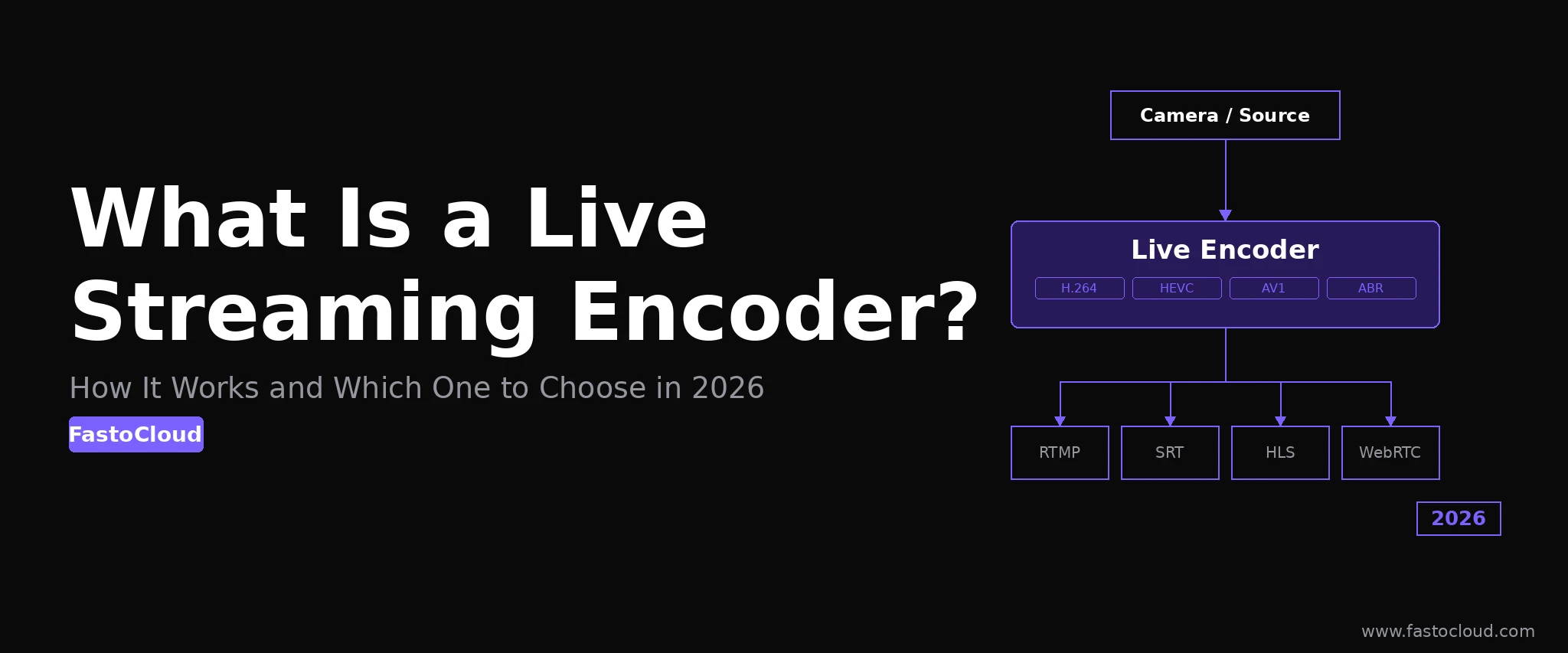
A live streaming encoder is the device or application that sits between your camera and your streaming server. It takes the raw, uncompressed video signal coming out of a camera or capture card and compresses it into a codec such as H.264, H.265, or AV1 so the file is small enough to transmit over a network connection in real time.
Without an encoder, a single second of uncompressed 1080p video at 30fps takes roughly 1.5 Gbps of bandwidth. No practical internet connection can sustain that. A good encoder reduces a 1080p stream to 4-6 Mbps while keeping the image quality high enough for viewers on any device. That compression step is the entire job of an encoder, and getting it right determines the quality ceiling of everything downstream.
How a Live Streaming Encoder Works
The encoding pipeline has three stages. First, the encoder captures raw frames from the video source, whether that is a camera via HDMI or SDI, a capture card, or a screen recording. Second, it runs those frames through a compression algorithm (the codec) that removes redundant information between frames and within each frame. Third, it wraps the compressed output in a container and sends it to a streaming server over a delivery protocol.
The key technical choices inside this pipeline are:
- Codec - The compression standard. H.264 is the most widely compatible. H.265 (HEVC) cuts bitrate roughly in half at the same quality but needs hardware decoding support on viewer devices. AV1 is royalty-free and compresses even better than H.265, with growing hardware support in 2026. For most operators, H.264 is the safe default; H.265 and AV1 make sense for bandwidth-sensitive or OTT-first deployments.
- Bitrate - The amount of data per second in the output stream. Higher bitrate means better quality but more bandwidth consumed. Typical values: 1080p at 4-6 Mbps, 720p at 2.5-4 Mbps, 480p at 1-1.5 Mbps using H.264.
- Keyframe interval - How often the encoder writes a full reference frame (I-frame) rather than a delta. For HLS and DASH streaming, two seconds is the standard; it should match your segment duration on the server.
- Delivery protocol - How the compressed stream is sent to the server. RTMP is the most widely supported ingest protocol. SRT (Secure Reliable Transport) handles packet loss better over unreliable internet links and is the modern choice for professional production.
Hardware Encoders vs. Software Encoders
Encoders come in two physical forms, and the difference matters for production reliability.
Hardware encoders are dedicated devices with purpose-built encoding chips. The Blackmagic Web Presenter, Teradek Cube, and Atomos Shogun Connect are representative examples. They accept HDMI or SDI from a camera, encode the signal internally, and push an RTMP or SRT stream to your server. Because encoding happens on dedicated silicon, they put zero load on any connected computer and deliver consistent, predictable performance around the clock. A hardware encoder running a 24/7 news channel will not stall, freeze, or degrade because something else on the machine is consuming CPU. That reliability is why broadcast professionals use them.
Software encoders run on a general-purpose computer and use the CPU or GPU to compress video. OBS Studio is the dominant free option and supports Nvidia NVENC, AMD VCE, and Intel Quick Sync for GPU-accelerated encoding. FFmpeg is the command-line tool that powers much of the streaming industry's server-side processing. vMix and Wirecast are professional paid options with multi-camera switching built in. Software encoders are far more flexible than hardware, cost nothing beyond the machine you already own, and can be updated to support new codecs and protocols as they emerge. The trade-off is that any performance issue on the host machine, a background update, a memory spike, a CPU-intensive process, can cause dropped frames or stream interruptions.
For casual or low-stakes streaming, a software encoder on a modern PC with GPU acceleration is more than adequate. For professional broadcast, dedicated hardware is the right investment.
Key Specs to Compare When Choosing an Encoder
When evaluating an encoder for a specific use case, check these specifications:
- Supported codecs - At minimum, H.264 output. H.265 and AV1 are bonuses. Verify that the encoder produces a profile and level compatible with your media server and your viewer devices.
- Supported ingest protocols - RTMP is non-negotiable. SRT support is a strong differentiator for any production sending signal over public internet or cellular uplinks.
- Maximum resolution and frame rate - 1080p at 60fps is the practical ceiling for most productions. Encoders targeting 4K live streaming exist but require far more bandwidth and processing power at every layer of the stack.
- Latency - How long from the camera frame being captured to it appearing in the ingest stream. Hardware encoders typically introduce 100-500ms. Software encoders can add more depending on buffer settings. Total end-to-end latency is the sum of encoder latency, server processing, CDN propagation, and player buffer, so keeping encoder latency low is the first step toward interactive or low-latency streaming.
- Simultaneous outputs - Some encoders can push to multiple ingest endpoints at once, which is useful for redundant ingest setups where the primary and a backup server both receive the stream.
Which Encoder Type Is Right for You in 2026?
The answer depends on the scale and reliability requirements of your operation.
- Individual streamer or small production - OBS Studio with GPU acceleration (Nvidia NVENC or Intel Quick Sync) on a mid-range gaming PC is free, powerful, and handles 1080p at 60fps comfortably. It is the right starting point for anyone building a streaming setup without a dedicated hardware budget.
- Professional live event - A dedicated hardware encoder such as a Blackmagic Web Presenter or Teradek Cube paired with SRT ingest to a reliable media server. Hardware ensures consistent output regardless of what else is happening at the venue.
- IPTV or 24/7 channel operator - For operators running dozens or hundreds of channels, source encoding at the camera is only one piece of the puzzle. The more important component is the server-side transcoder, which receives whatever the source sends and re-encodes it into the ABR ladder that gets delivered to subscribers. Hardware at the source can be modest; the server-side transcoder handles the heavy work at scale.
- Automated ingest pipeline - FFmpeg running as a service on a Linux server is the standard tool for automated encoding workflows: scheduled recordings, re-encoding archive files, or pulling RTSP camera feeds and pushing them to a streaming server without any manual intervention.
The Role of a Media Server: What Comes After the Encoder
An encoder produces a single stream at a single bitrate. That stream is sent to a media server, which does the work that makes it watchable at scale. The server receives the ingest, transcodes it into multiple quality renditions (1080p, 720p, 480p, 360p) for adaptive bitrate delivery, packages those renditions as HLS or DASH segments, and distributes them to viewers through a CDN.
Without a media server, your encoder output can serve only a handful of concurrent viewers. With a capable media server in place, the same encoder feed can reach thousands of simultaneous viewers across any device.
FastoCloud Media Server is designed for exactly this role. It accepts RTMP and SRT ingest from any encoder, performs hardware-accelerated transcoding using Nvidia GPU or Intel QSV, generates HLS and DASH output simultaneously, and includes a built-in CDN and load balancer. The Community edition costs $25/month and covers the full ingest-transcode-deliver pipeline. The PRO edition ($50/month) adds WebRTC streaming for sub-second latency use cases, probe streams for redundancy monitoring, and internal CDN scaling. The PRO ML edition ($100/month) extends the stack with AI-powered stream analytics and event detection.
For operators building a full IPTV or OTT service, CrocOTT middleware integrates directly with FastoCloud to handle subscriber management, EPG, catch-up TV, billing, and white-label player apps for Android, iOS, Android TV, Apple TV, Smart TV, and web. The encoder you choose at the camera end does not change how the rest of this stack operates, as long as it sends a clean RTMP or SRT stream to the server.
If you are evaluating your encoding setup and want to understand how FastoCloud fits into your workflow, start a free trial or review the pricing plans to find the right configuration for your production scale.
Blog FastoCloud